 Загрузка ...
3D Model Optimization: How to Prepare Assets for Web, AR, and Game Development
Just ten years ago, incredibly detailed, high-poly 3D models were the exclusive domain of Hollywood blockbuster VFX and heavy, pre-rendered architectural visualizations. Today, however, interactive 3D graphics surround us everywhere.
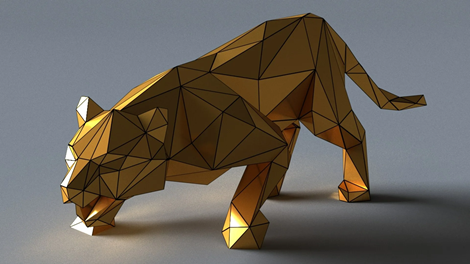
We can seamlessly rotate 3D sneakers on e-commerce websites, virtually place furniture in our living rooms using Augmented Reality (AR) applications on our smartphones, and play visually stunning games on mobile devices. But for a 3D model to run smoothly in a web browser or on a phone without draining the battery in minutes, it must go through a critical and highly technical pipeline stage: optimization.
Why Do High-Poly Models Fail in Interactive Media?
A raw 3D model (High-poly), whether meticulously sculpted in ZBrush or generated through photogrammetry scanning, can easily contain millions of polygons. If you attempt to load such a heavy object directly onto a website, the page will take several minutes to load, and the end-user’s smartphone will likely freeze or crash entirely due to an overload of RAM and extreme stress on the graphic processing unit (GPU).
For real-time interactive purposes—such as running in Unity, Unreal Engine, or web-based frameworks like Three.js—developers utilize what are known as Game-Ready or Low-poly models. The primary goal of these optimized assets is to look visually identical to an object with millions of polygons while actually containing only a few thousand (or even just a few hundred) vertices.
Retopology: The Art of Simplification
The very first step in the optimization pipeline is retopology. This is the intricate process of drawing a brand-new, highly simplified polygonal mesh (the Low-poly) directly over the heavy High-poly sculpt. Proper topology must consist predominantly of quadrilaterals (quads), possess an intelligent edge flow, and maintain a logical mesh density (allocating more polygons to curved areas and fine details, and fewer polygons to flat, featureless surfaces). Furthermore, if the object is going to be rigged and animated (like a character’s joints), the edge loops must be positioned perfectly to ensure correct geometric deformation. While automatic retopology tools (like ZRemesher or Quad Remesher) are widely used today, manual retopology remains the undisputed gold standard for professional-grade hero assets.
The Magic of Texture Baking
How do you force an incredibly simple, low-poly model to look highly detailed? The secret lies in a process called Texture Baking. Software applications such as Substance 3D Painter or Marmoset Toolbag analyze the geometric differences between the High-poly and Low-poly models and mathematically «project» all the micro-details (such as scratches, skin pores, rivets, clothing seams, and dents) onto a specialized texture map called a Normal Map. The game engine then reads this map and fakes the interaction of light and shadow on the flat polygons, tricking the eye into perceiving actual physical depth and relief.
For Web and AR applications, the file size of the textures themselves is also critical. Utilizing eight different 4K resolution texture maps will absolutely destroy your application’s performance. Textures must be intelligently combined (channel packing), highly compressed, and generally kept to a resolution no higher than 1024×1024 or 2048×2048 pixels.
Choosing the Right File Format
While traditional 3D artists are very accustomed to working with FBX or OBJ file formats within their modeling software, the standards are entirely different when it comes to the web and Augmented Reality. The undisputed champion for web-based 3D graphics is the glTF format (or its binary counterpart, .glb). This incredibly lightweight format packs the geometry, PBR materials, textures, and even complex skeletal animations into a single, highly compressed file. Meanwhile, for Apple devices and the iOS ecosystem, the absolute standard is the USDZ format.
Creating fully optimized content from scratch is a highly labor-intensive process that requires deep technical knowledge. Because of this, many indie game developers, web designers, and AR creators strongly prefer to utilize pre-made Game-ready / optimized 3D models that have already successfully passed through all the grueling stages of retopology, UV unwrapping, and texture baking. Curated databases like 3drush.com allow creators to instantly integrate 3D objects into their interactive projects without running the risk of dropping the frame rate (FPS) or subjecting the end-user to unbearably long loading screens.